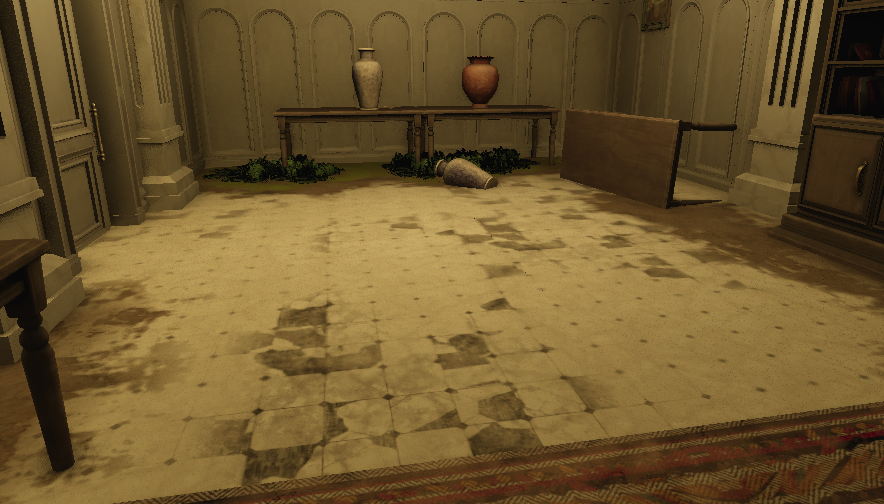
One texture repeated over a large area can easily look repetitive, and creating one large texture for the entire surface is not plausible. There are multiple ways to break up repeating textures, such as decals, detail normals and Vertex Paint. This tool allows the developer to draw color data on vertices of models in a scene, this data can later be used in shaders when the object is drawn to change the looks of the model.
Drawing On Scene Instances
To use a brush on models placed in a scene, I need to know where the developer is holding their mouse in 3D space, and then find all vertices in close proximity to the brush and then save a color for these vertices.
For the position of the brush I can read the GBuffer that stores a position for every pixel and read the pixel that the mouse is on. Storing colors I do in a map using the ID of the instance as a key. One entry stores all colors for every model and LOD in an instance.
Making Strokes Smooth
My first implementation of vertex paint simply painted all vertices within the brush every frame with a distance falloff, adding the color of the brush to the color of the vertex. This meant that moving the cursor quickly across the surface only left circles of paint instead of a clean stroke and holding the brush in one place lead to paint stacking and quickly making the distance falloff not noticeable.
To fix this, I draw a line of paint from the last position of the brush to the current position, using this line instead of a point when calculating the distance of the vertex to the brush. This solves one part of the problem, but holding the brush in the same place for too long still creates unwanted behaviour.
This was solved by subtracting the last stroke from the current stroke, only drawing the difference between the two every frame. Below you can see a preview of what the tool is drawing every frame.
After making the strokes as smooth and even as possible with the brush strokes, I realized that increasing strength by holding the mouse down longer may be a good tool. So I made the Spray Tool that does not have the smoothing of the brush tool.
Rendering
For rendering I created a buffer for the vertex paint where data was uploaded every time a batch of models was rendered. This buffer was then read in shaders where the data was mainly used for fading between different textures.
This worked but later in the development of Steel Over Eden where this tool was used. We noticed a big performance loss because of the vertex paint. This was because this buffer was way too big to upload for every batch of models, around one megabyte. This was to handle our maximum batch size of 1024 instances with models with a maximum of 1024 vertices.
To solve this I upload ALL vertex paint in a scene to this buffer when loading the scene or changing the vertex paint, then when rendering a batch I only upload an array of indices telling the shaders where it should read from the buffer.
Handling Replacement of Models
When a model is replaced and vertices are added or removed, the same vertex buffer that stored the vertex paint for instances of that model becomes invalid. Trying to render the model with this buffer will lead to unknown behaviour. Currently this is solved by clearing all vertex paint when a model is replaced, but if I would continue on this project, I would like to add support to transfer the vertex paint between the old and new model.
This could be done by resampling all vertices in a similar way to how an image is resampled when up- or downscaling. The easiest way would be to loop through all vertices of the new mesh, and for every vertex, find the closest vertex in the old mesh and use its color for this new vertex. Possibly adding a distance falloff or cutoff to avoid coloring new areas added to the model.