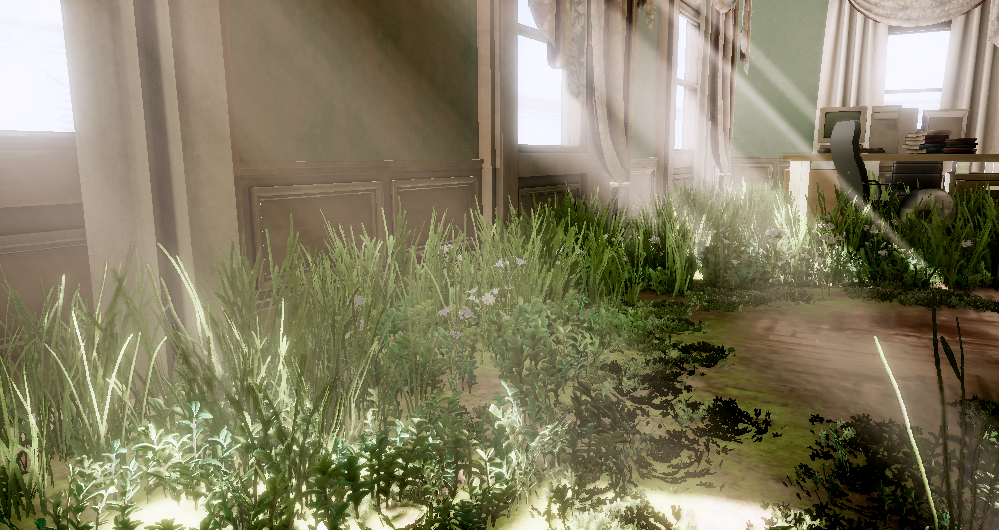
While my group was working with set dressing our game Spite: The Curse of Tzalozel, many people became irritated with the pipeline. The game takes place in a forest so many plants were necessary to make the forest look alive and placing every plant hand by hand was tiring and it became easy to accidentally place plants that floated a bit above the ground and all of this took a lot of time. So for our next game project I set out to create a tool that would make iterations faster and accurately place instances in a scene, and also support a large amount of instances with no performance issues.
Foliage paint is a tool for painting out instances in a scene with a brush or other similar tools. Unreal Engine has one implementation of this tool which I took inspiration from for this project.
Placing Objects
The first tool I made was the brush. By holding left click on the terrain, the tool should place objects to a set density with random position, rotation, scale and more. Starting solving the problem in 2D, one solution is to generate random positions within a circle centered at the cursor. But with this approach many samples will overlap and some areas will be left empty. As I am trying to imitate foliage, samples should have an even distribution from one another. This can be achieved with Poisson Disc Sampling. With this samples will be evenly placed while still having some randomness to their placement.
Then to make the samples follow the height variation in the terrain and objects around it, I can raycast down and check for collisions on the meshes in the scene. But if generation of multiple samples above each other should be possible, it can’t take already placed samples into the generation as it is done in 2D. But by ignoring previous samples, calculating height and then discarding samples that were too close to already placed samples I am able to get both.
I was worried that this would create visible seams between strokes as the sample generation was not dependent on already placed samples, but after testing no seams were visible.
Optimizing
Attempting to paint dense foliage on a detailed mesh proved to be quite performance intensive because of the raycasts towards the meshes. In the first iteration of this tool every ray checked against every triangle of every selected mesh.
To solve this I created a grid with the same size and positioning as the one used in the Poisson Disc Sampling and stored all triangles touching this grid cell. This way, after generating a sample, I only had to check the triangles inside the cell that the sample was generated in.
This grid is currently created and filled each frame. As this could get expensive with more detailed meshes, I attempted to generate this grid when a new set of objects were selected and then keep it between frames. But because the grid was relative to the one used for sample generation which was centered around the brush, the grid moved each frame and would make the grid invalid, so I am still generating this grid every frame. It would be possible to make the grid world aligned and then store it, this would improve performance and is something I would like to do in the future if this becomes a bottleneck.
To make the rendering performant I created a specialisation of our rendering pipeline for foliage paint. Our rendering pipeline in our custom engine built at TGA submits every mesh one by one each frame. But because the meshes placed in the foliage painter are all static and often contain a large amount of the same model, this would be inefficient. By only storing all samples as affine matrices the data stored for each sample is low and can be efficiently rendered.
What Do I Want To Improve?
The rendering can be further improved by storing all samples on the graphics card which would remove unnecessary data transfer between CPU and GPU.
No instances are currently culled and are instead all rendered each frame. Because all samples are static I could save them in chunks and cull the chunks making culling cheap.
Decreasing the density of samples with distance from the camera could also work. By scrambling all samples inside chunks, only rendering half of all the instances could remove an even distribution in a cheap way. To not make the foliage less dense, the remaining instances could possibly be scaled to make up for the missing space, but scaling all axes may be visible from a large distance. Scaling grass in a field must then only be scaled horizontally.
Picking a different LOD mesh and simpler shaders depending on distance is also a simple optimization that could be done.
To improve the tool I also want to add support for drawing instances on walls. The ray that finds a height for all samples currently always points down, but aiming this in the same direction as the camera could allow the developer to use the tool on walls. My only concern is that this could make the resulting foliage uneven and the density could be dependent on the angle between the surface and the camera.